The answer depends on where you’re sending or uploading it. A PDF that works perfectly on WhatsApp may still be too large for an online job application. A high-quality brochure might be fine as a download but unnecessarily heavy as an email attachment.
The goal is not to make every PDF as small as possible. You want a file that is small enough to upload and share easily while keeping the text, images, and important details clear.
Quick Answer: What Is a Good PDF File Size?
For everyday sharing, keeping a PDF below 5 MB is a practical target when you don’t need high-resolution images. For resumes and simple documents, 1–2 MB or less is often even better. However, platform limits vary, and image-heavy or print-quality PDFs may reasonably need to be larger.
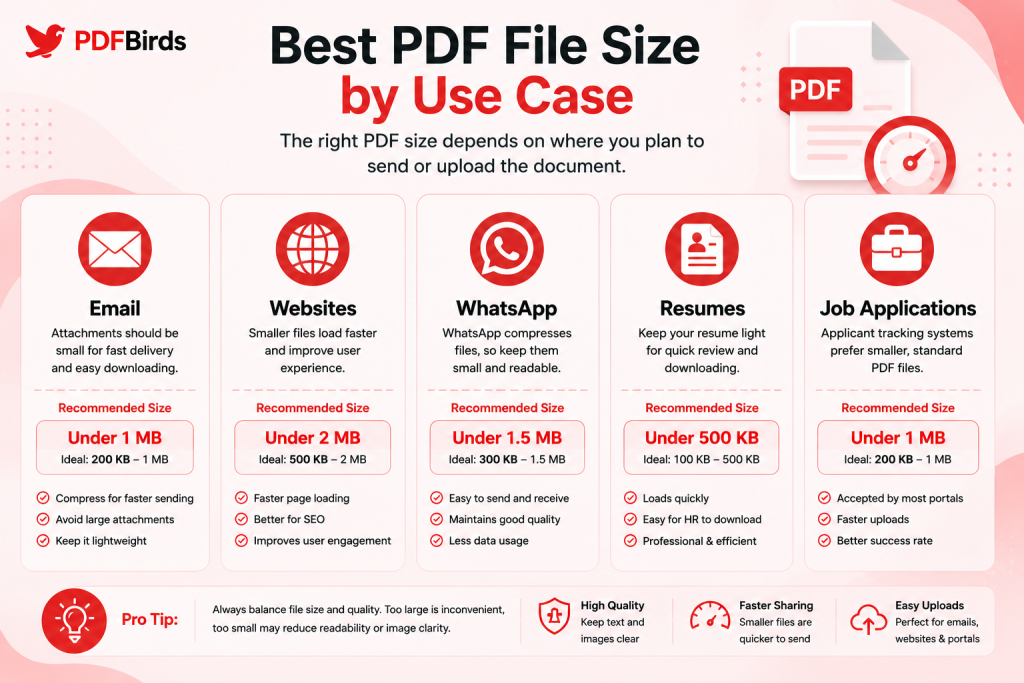
PDF Size Recommendations at a Glance
| Use Case | Practical Target | Important Note |
| Email attachment | Under 10 MB when practical | Gmail personal accounts allow up to 25 MB total attachments |
| Website PDF | Ideally under 5 MB | Smaller files are faster for visitors to download |
| WhatsApp PDF | Under 10–20 MB is convenient | WhatsApp supports much larger document files |
| Resume / CV | Around 1–2 MB or less | Always follow the employer’s upload limit |
| Job application | 1–5 MB when possible | Portal limits vary |
| Scanned documents | Under 5–10 MB when practical | Keep small text and signatures readable |
| Print-quality PDF | Depends on document | Quality may matter more than minimum size |
These are practical recommendations, not universal platform limits.
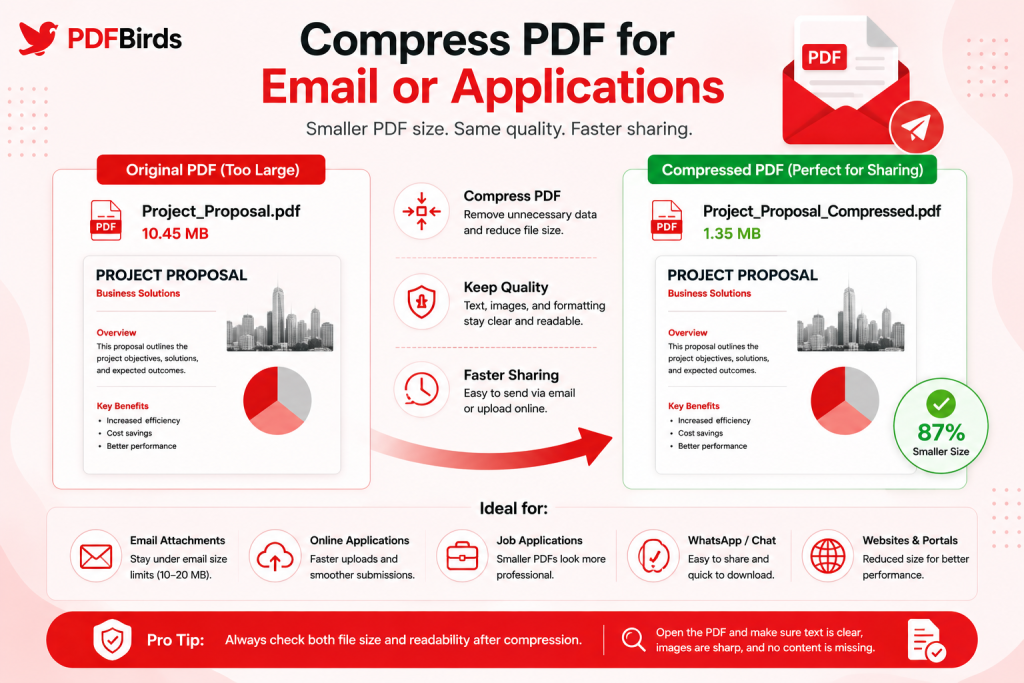
Original PDF compared with a smaller compressed PDF for email and online uploads.
What Is the Best PDF Size for Email?
For normal email sharing, try to keep a PDF below 10 MB when possible.
A smaller attachment is easier to upload, download, and open, especially for someone using mobile data or a slower internet connection.
That doesn’t mean 10 MB is a technical limit.
For example, as checked in August 2026, personal Gmail accounts allow up to 25 MB in total attachments. If attachments exceed the limit, Gmail can use a Google Drive link instead. Work and school accounts can have limits configured by their administrators.
Should You Send a 20 MB PDF by Email?
You may be able to, depending on your email provider, but that doesn’t always make it a good idea.
If a 20 MB PDF contains a simple report or scanned paperwork, it may have unnecessary image data.
Compressing it can make the document:
- Faster to attach
- Easier for the recipient to download
- More convenient on mobile
- Less demanding on limited connections
However, don’t compress an important document aggressively just to reach an arbitrary number.
If it contains detailed photographs, technical drawings, or print-quality graphics, preserving quality may be more important.
Practical Email Recommendation
For ordinary reports, forms, invoices, and text documents:
Aim for approximately 1–10 MB when practical.
If your PDF is larger, use the PDFBirds Compress PDF Tool and check whether you can reduce its size without making the content blurry.
What Is the Best PDF Size for a Website?
There is no universal maximum PDF size for websites.
Your server or content-management system may have its own upload limit, but from the visitor’s perspective, smaller is usually more convenient.
A PDF that is 40 MB may be frustrating for someone opening it on a phone or slow connection.
For normal downloadable documents, a practical target is often:
1–5 MB when the document can remain clear at that size.
Examples include:
- Product guides
- Forms
- Checklists
- Menus
- Reports
- Instructions
- Brochures
Why Smaller Website PDFs Help Users
Large files require more data to transfer.
A visitor may click a PDF expecting a quick document and instead wait for a large download.
This matters particularly for mobile users.
Before publishing a PDF, ask:
- Does it need print-quality images?
- Are photographs much larger than necessary?
- Is it a scanned document?
- Can it be compressed without hurting readability?
Don’t sacrifice useful quality just to achieve the smallest number. The goal is a sensible balance between download size and document quality.
What Is the PDF Size Limit on WhatsApp?
WhatsApp is much more generous with document size than many email services.
Meta’s current information confirms that WhatsApp supports sharing large files of up to 2 GB.
That does not mean your PDF should be 2 GB.
For normal PDFs, smaller files remain easier to:
- Upload
- Download
- Store
- Forward
- Open on older devices
- Share over mobile data
What Size PDF Should I Send on WhatsApp?
For reports, invoices, forms, notes, and other everyday documents, keeping the PDF below roughly 10–20 MB is convenient when you can do so without harming quality.
A simple text PDF may be far smaller.
A photo portfolio or detailed catalogue may legitimately need more space.
So think of 10–20 MB as a practical convenience target, not WhatsApp’s technical limit.
What Is the Best PDF Size for a Resume?
A resume is usually a short, mostly text-based document. It should rarely need to be a large file.
A practical target is:
Around 1–2 MB or less.
Many clean text-based resumes can be much smaller.
Keeping a resume lightweight makes it easier to:
- Upload to recruitment portals
- Email to recruiters
- Store in applicant systems
- Download quickly
- Open across devices
Does a Resume Need High-Resolution Images?
Usually not.
Large photographs, decorative backgrounds, and oversized graphics can dramatically increase the file size without improving the resume.
More importantly, clean formatting and readable text generally matter more than visual file weight.
If you’re applying through an applicant tracking system (ATS), follow the employer’s instructions exactly.
There is no single universal ATS PDF size limit. Different employers and recruitment platforms can set different upload restrictions.
If the application says maximum 2 MB, your resume needs to be below 2 MB regardless of another website’s recommendation.
What Is the Best PDF Size for Job Applications?
For general job-application documents, a practical target is 1–5 MB, provided the portal doesn’t specify a smaller limit.
This can include:
- Resume or CV
- Cover letter
- Certificates
- Portfolio samples
- Supporting documents
Always check the upload instructions before preparing your file.
A portal might specify:
- Maximum file size
- Accepted format
- Maximum number of files
- Required filename
- Whether multiple documents should be combined
These instructions take priority over general recommendations.
What If Your Application PDF Is Too Large?
First, identify why.
If the PDF contains scanned certificates or images, those are often responsible for most of the size.
Try moderate compression and check the result carefully.
Make sure:
- Text remains sharp
- Certificates remain readable
- Signatures are visible
- Images aren’t badly blurred
- All required pages are included
Never remove important application information simply to reduce the file size.
Why Is My PDF File So Large?
Two PDFs with the same number of pages can have very different file sizes.
A 50-page text document might be smaller than a five-page scanned document.
Common reasons include:
High-Resolution Images
Modern cameras and phones create large images. Adding several of them to a document can dramatically increase its size.
Scanned Pages
A scanned page is often stored as an image rather than normal digital text.
A document containing dozens of scans can therefore become large quickly.
Excessive Resolution
A PDF designed only for screen reading usually doesn’t need the same image resolution as professional print material.
Complex Graphics
Charts, illustrations, transparent graphics, backgrounds, and detailed designs can add considerable data.
Embedded Fonts and Resources
Fonts and other embedded resources also contribute to file size, although images are often the bigger issue in oversized PDFs.
How to Reduce PDF File Size Safely?
If your PDF is larger than your target, don’t immediately use the strongest possible compression.
Follow this approach instead.
Step 1: Check the Current Size
Note the original file size.
For example:
Original PDF: 14.6 MB
This gives you a baseline.
Step 2: Open the Compress PDF Tool
Use the PDFBirds Compress PDF Tool to reduce unnecessary file data.
Step 3: Start With Balanced Compression
Moderate compression is a sensible starting point for most everyday documents.
Step 4: Download the Smaller PDF
Check the new size after processing.
Step 5: Inspect the Quality
Open the PDF and review:
- Small text
- Images
- Tables
- Charts
- Signatures
- Scanned pages
If the document meets your required file size and everything remains clear, stop there.
Don’t compress it further just because you can.
Should You Compress Every Large PDF?
No.
A large file isn’t automatically a bad file.
Imagine two documents:
Document A: A simple five-page text report that is 30 MB.
Document B: A 100-page photography portfolio that is 30 MB.
Document A probably deserves investigation because its size seems unusually high for its content.
Document B may need that space to preserve detailed photographs.
Always consider the document’s purpose.
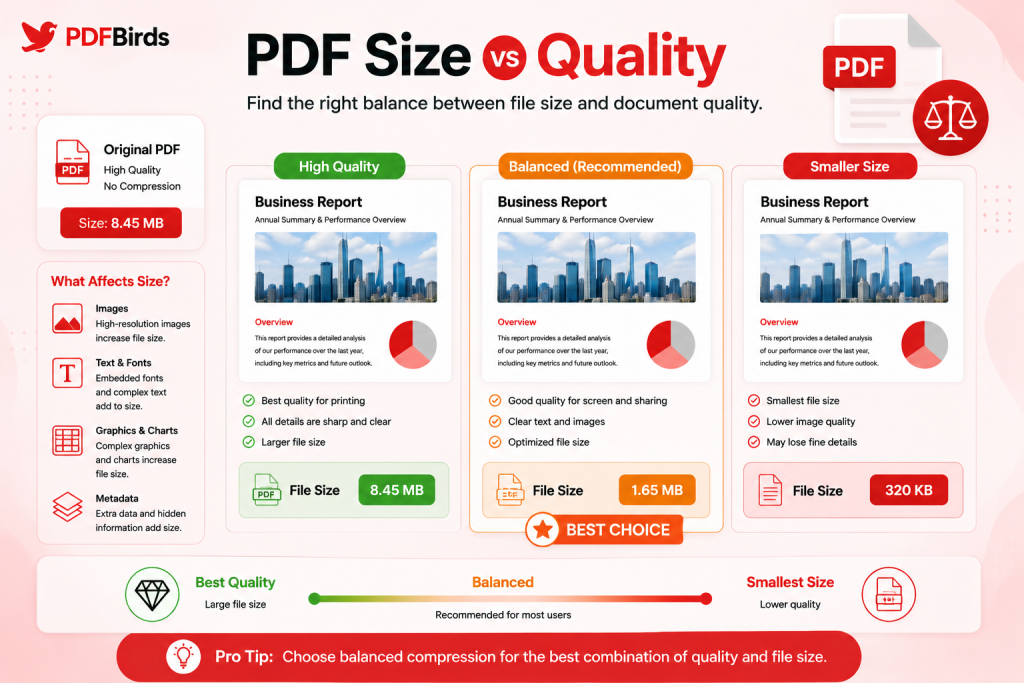
PDF Size vs Quality: Which Matters More?
Neither should automatically win.
The best PDF is small enough for its destination and clear enough for its purpose.
| Situation | Main Priority |
| Emailing a normal report | Smaller file |
| Uploading a resume | Small size + readable text |
| Sharing on WhatsApp | Convenience |
| Website download | Fast access + readability |
| Professional printing | Quality |
| Scanned legal paperwork | Readability and detail |
| Photo portfolio | Image quality |
This is why there is no perfect file size for every PDF.
Common PDF Size Mistakes
Compressing More Than Necessary
If your application accepts 5 MB and your PDF is already 3 MB, there is usually no reason to aggressively reduce it to 500 KB.
Ignoring the Actual Upload Limit
General recommendations cannot replace the instructions shown on an application portal.
Always follow the destination’s current requirements.
Looking Only at File Size
A smaller file isn’t useful if important text becomes blurry.
Deleting the Original
Keep your original until you’ve checked the compressed version.
Using Print-Quality Images for Screen-Only PDFs
If the document will only be viewed online, extremely large images may provide little practical benefit.
FAQs
What is a good PDF size for email?
For ordinary documents, under 10 MB is a convenient practical target. Gmail personal accounts currently allow up to 25 MB total attachments, but other providers can have different limits.
Is 20 MB too large for a PDF?
Not necessarily. It depends on the document and where you’re sending it. A 20 MB photography portfolio may be reasonable, while a 20 MB two-page text document is probably worth optimizing.
What size should a resume PDF be?
Aim for roughly 1–2 MB or less when possible. More importantly, follow the employer or recruitment portal’s stated upload limit.
What is the maximum PDF size on WhatsApp?
Meta currently states that WhatsApp supports large file sharing up to 2 GB. For normal PDF documents, however, much smaller files are usually more convenient.
What is a good PDF size for a website?
For ordinary downloadable PDFs, under about 5 MB is a useful target when you can achieve it without reducing necessary quality. There is no universal website PDF limit.
How do I make my PDF smaller?
Use a PDF compression tool, start with moderate compression, download the result, and compare its size and visual quality with the original. Use stronger compression only when necessary.
Final Thoughts
The best PDF size depends on what you’re doing with the document.
For email and online applications, smaller files are generally easier to handle. For WhatsApp, the technical limit is much larger, but keeping everyday documents lightweight still makes sharing easier. For websites, smaller downloads are friendlier to visitors, particularly on mobile connections.
Most importantly, don’t chase the smallest possible file.
Aim for the smallest practical PDF that keeps all important text, images, signatures, and other details clear.
If your document is larger than it needs to be, use the PDFBirds Compress PDF Tool to reduce its size, then check the finished PDF before sending or uploading it.