We've all been there. You’re trying to email a critical attachment, only to have it bounce back with a "file too large" error. Or maybe you've stared at a progress bar for what feels like an eternity, waiting for a hefty portfolio or report to upload.
These aren't just minor annoyances. Large PDF files can create serious bottlenecks in your workflow, causing delays and frustration. When you need to get your documents shared, submitted, or archived efficiently, knowing how to compress a PDF is an essential skill.
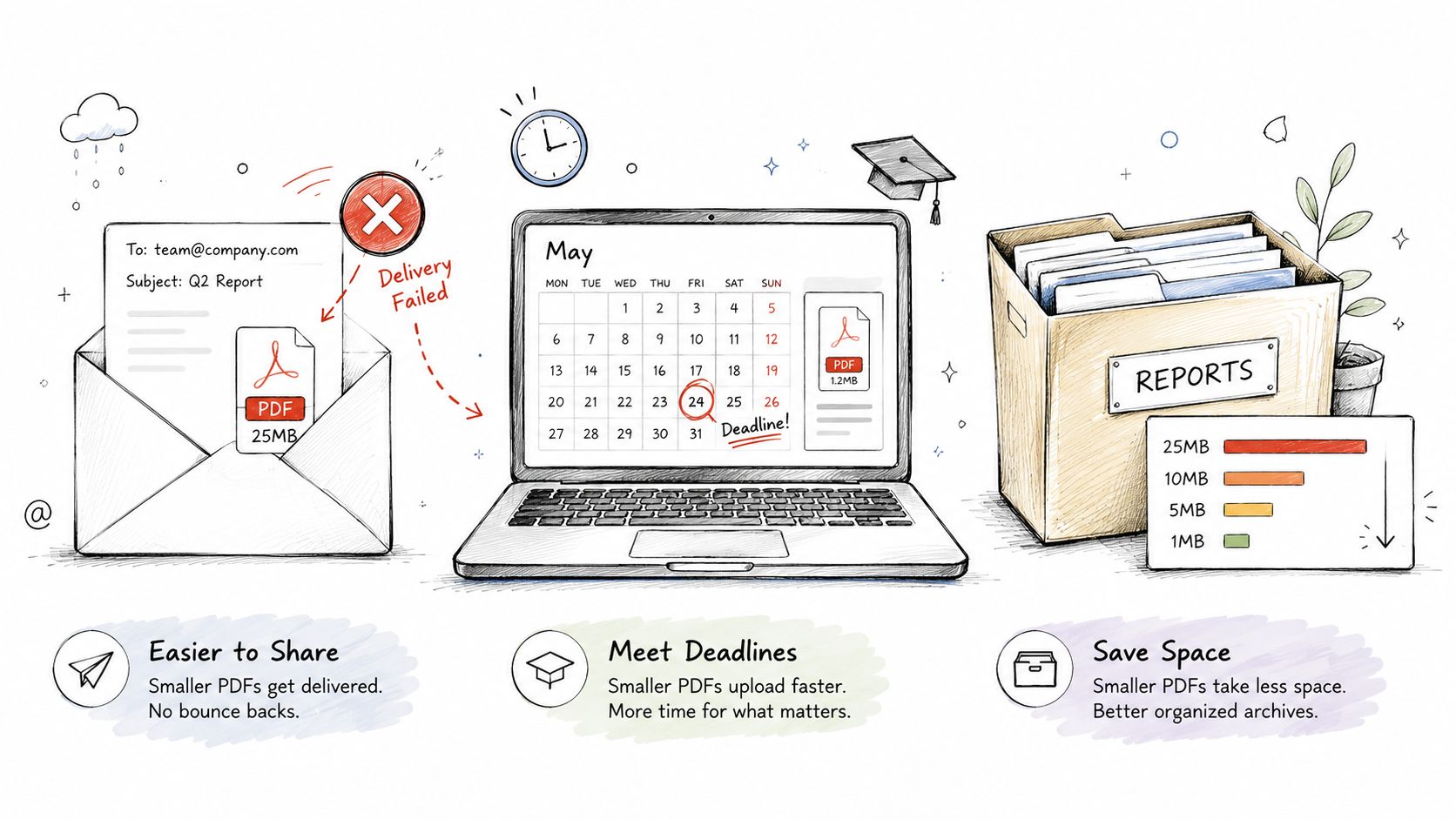
Knowing when and why to compress a PDF helps you get ahead of these problems. It's not just about convenience—it’s about working efficiently and maintaining a professional edge. In this guide, we'll cover everything you need to know, from quick online solutions to advanced optimization techniques. A free tool like PDF Birds can shrink your file in seconds, making it easy to share, upload, or store without needing to install any software.
Table of Contents
- Why and When You Need to Compress a PDF
- How to Compress a PDF Online in Seconds with PDF Birds
- Advanced Techniques to Further Shrink Your PDF
- Choosing Between Online and Desktop PDF Compressors
- Balancing Quality and Security When Compressing PDFs
- Frequently Asked Questions About PDF Compression
- Conclusion: Take Control of Your Document Workflow
Why and When You Need to Compress a PDF
Before diving into the "how," it's crucial to understand the "why." Compressing a PDF isn't just a technical trick; it's a practical solution to common professional and personal challenges. It makes documents more portable and manageable, which is key in our fast-paced digital world.
Common Scenarios for PDF Compression
Let's look at a few real-world situations where file size really matters:
- Submitting Assignments: Students often run into strict file size limits on university portals. Compressing a research paper or a design portfolio ensures it gets uploaded successfully before the deadline hits.
- Sharing Design Work: For graphic designers and architects, sending high-resolution proofs to clients is a daily task. A compressed PDF lets them share their work for review without forcing the client to download a massive, slow-loading file.
- Archiving Business Documents: Companies archive huge volumes of reports, invoices, and legal contracts. Compressing these documents first saves a tremendous amount of server space and cuts down on long-term storage costs.
- Emailing Attachments: Most email providers, including Gmail, have an attachment limit of around 25MB. A compressed report or presentation is far more likely to land in an inbox without being rejected.
The goal is always to find the right balance—shrinking the file without sacrificing the document's essential quality and readability. This is especially true if you first need to convert a document into a PDF, as the initial file can sometimes be surprisingly large.
The idea is to intelligently reduce a PDF's size so it's easier to share, store, and access. Tools like PDF Birds offer a simple, browser-based solution to these common headaches, letting you compress files quickly and get back to what you were doing. And for those starting with other formats, you can learn more about creating optimized files in our guide on how to convert documents to PDF online.
How to Compress a PDF Online in Seconds with PDF Birds
When time is of the essence, an online tool is your best friend. We’ve all been there: you’ve put the finishing touches on a report or portfolio, only to find the file is too massive to email. When you need to shrink a PDF in a hurry—without the hassle of installing software—an online tool is your best bet.
The PDF Birds online compressor was built for exactly this situation. It lets you get the job done right in your browser, so you can compress your file and get on with your day. It works from anywhere, on any device, whether you're using a Windows PC, a Mac, or even your phone.
The Simple Drag-and-Drop Process
Getting started is as simple as it gets. We designed the interface to be completely intuitive, with no confusing options to slow you down.
The main page presents a clear, simple upload box.
As you can see, there’s no guesswork. You can either click the “Select PDF files” button to find your document or, even faster, just drag and drop it directly onto the page. That’s it—your file is ready for the next step.
Choosing Your Compression Level
Once your PDF is uploaded, the real magic happens. PDF Birds doesn’t just give you a one-size-fits-all solution; it lets you choose the perfect balance between file size and quality.
I find this is the most critical step. If you’re compressing a simple text document or an invoice, you can usually go for a higher compression without seeing any difference. But for a graphic design portfolio, you’ll want to be much more careful to preserve image quality. This control is what makes an online tool truly powerful.
This choice is what ensures your final, compressed PDF is perfectly suited for its purpose, whether you're emailing a resume or archiving a large project file.
To help you decide, we've put together a simple breakdown of what each compression level does. This table gives you a clear look at the trade-offs, so you can make a smart choice every time you need to compress a PDF.
PDF Birds Compression Levels Explained
| Compression Level | Best For | File Size Reduction | Quality Impact |
|---|---|---|---|
| Basic | Documents where preserving maximum quality is the top priority. | Moderate | Minimal to none; images and text remain very sharp. |
| Recommended | Everyday use, like emailing reports or sharing assignments. | Significant | A balanced approach with great size reduction and good quality. |
| Extreme | Archiving or when the smallest possible file size is required. | Maximum | Noticeable reduction in image quality, but text remains clear. |
After you've made your selection, just hit the "Compress PDF" button. Our tool gets to work, and in a few moments, your newly optimized PDF will be ready to download.
And don't worry about privacy. All files you upload are automatically and permanently deleted from our servers after a short time, keeping your information secure. This commitment to security and ease of use is at the core of the PDF Birds experience.
Advanced Techniques to Further Shrink Your PDF
Sometimes, even after running your document through a great online tool, the file is still larger than you'd like. This is a common headache, especially with complex PDFs packed with high-resolution images, intricate graphic design work, or layers of embedded data.
When the one-click compression doesn't get you all the way there, it’s time to roll up your sleeves and dig a little deeper. These more advanced methods give you granular control, letting you target the specific elements that are making your file so big.
Getting Your Hands Dirty with Manual Tweaks
Think of this as surgical file reduction. Instead of a blanket approach, you're zeroing in on the exact causes of that file bloat.
- Downsample Your Images: Let’s be honest, images are almost always the biggest offenders. Downsampling simply means reducing their resolution, measured in dots per inch (DPI). For a document that will only ever be viewed on a screen, like a presentation, 72 DPI is perfectly fine. If your PDF started as a high-quality print design at 300 DPI, lowering it can shave off a massive amount of data.
- Remove Embedded Fonts: Ever wonder why a simple text-only PDF is still a few megabytes? Embedded fonts are often the culprit. To make sure your document looks the same on every computer, a PDF will often bundle the font files right inside it. You can use certain tools to strip out these fonts, especially if they are common system fonts that most people already have installed.
- Flatten Document Layers: If your PDF came from a design program like Adobe Illustrator or InDesign, it probably contains multiple layers. Flattening the PDF merges all of those layers into one single, static image. The trade-off is that you can no longer edit the individual elements, but the file size reduction is often dramatic. Just be sure you have a backup of the original layered file before you do this.
The initial, simpler compression is still your best first step. The process is straightforward and often all you need.
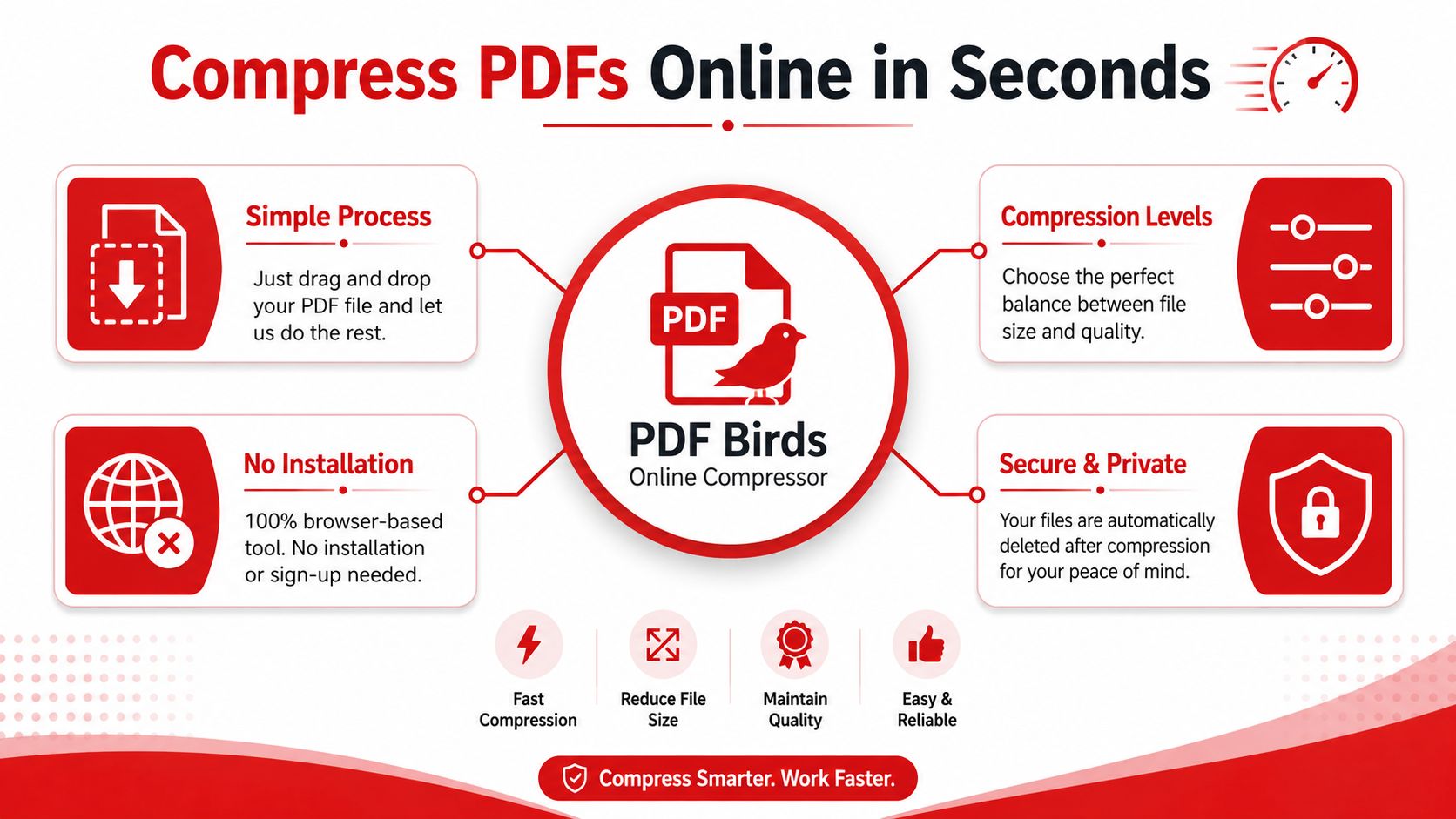
Tools like PDF Birds give you an excellent starting point with a simple drag-and-drop process, different compression levels, and secure handling before you need to resort to these more manual techniques.
Optimizing Scanned Documents with OCR
Scanned documents are basically just big collections of images, which makes them prime candidates for some serious compression. This is where Optical Character Recognition (OCR) becomes your secret weapon.
OCR technology doesn't just see an image of text; it analyzes that image and converts it into actual, selectable text data. Not only does this make your document fully searchable and accessible, but it also shrinks the file size down considerably. An image of a page takes up far more space than the text on that page does.
Pro Tip: For a multi-page scanned document, running OCR before you compress is the most effective workflow. If you only need a portion of a large scan, it's also a good idea to learn how to extract specific pages from a PDF first. There's no sense in compressing pages you're just going to delete later.
Choosing Between Online and Desktop PDF Compressors
When you need to shrink a PDF, your first decision is a big one: do you use a quick online tool or go with dedicated desktop software? There’s no single right answer. The best choice really boils down to what you’re trying to do, how often you do it, and your budget.
Online compressors like PDF Birds are all about speed and convenience. There's nothing to install, and you can shrink a file's size from any computer or phone with an internet connection. It’s the perfect setup for those one-off tasks, like getting a report small enough to email or submitting an assignment before a deadline.
Cost and Accessibility
Let's be honest, your choice often comes down to money and how you work. Online tools and desktop software are built for very different scenarios.
- Online Tools: Most are free and ready to go instantly. Tools like PDF Birds let you compress files without creating an account or paying a cent, which is a lifesaver for immediate needs.
- Desktop Software: These usually require a one-time purchase or a recurring subscription. Think of something like Adobe Acrobat. It's incredibly powerful but locks you into a specific computer, making it a better fit for professionals handling a high volume of documents in an office.
The trend is clear—the market is shifting online. The global PDF Compression Software market was valued at $2.2 billion in 2026 and is on track to hit $4.1 billion by 2034. Tellingly, cloud-based tools account for a significant share of that market, showing just how much people prefer flexible, accessible solutions.
The key takeaway is to match the tool to the task. For everyday compression needs, a fast and free online tool is often the smartest choice.
Security and Feature Sets
Security is a huge factor, and it's where the two approaches really differ. When you use an online tool, your file is temporarily uploaded to a server for processing. On the other hand, desktop software keeps everything on your local machine.
Reputable online services like PDF Birds use encrypted connections and have policies to automatically delete your files after a short time. However, if you're dealing with highly sensitive or confidential documents, processing them locally on your own computer gives you an undeniable layer of security and control.
Finally, think about features. Desktop software is often a massive suite of tools with functions far beyond just compression—editing, signing, creating forms, you name it. But for most of us who just need to make a file smaller, all those extra bells and whistles are overkill. Before you commit to a pricey software package, you might be surprised by what you can get done with online tools. It's worth checking out a free PDF editor that doesn't add watermarks to see if it already covers all your needs.
Balancing Quality and Security When Compressing PDFs
When you're trying to shrink a PDF, two worries probably pop into your head right away: "Is this going to ruin the quality?" and "Is it safe to upload my file?" These are the exact right questions to be asking. Let's walk through how to get a smaller file without sacrificing quality or security.
Finding that sweet spot between file size and a professional look is the name of the game. It’s a bit of a balancing act, but it’s easier than you might think.
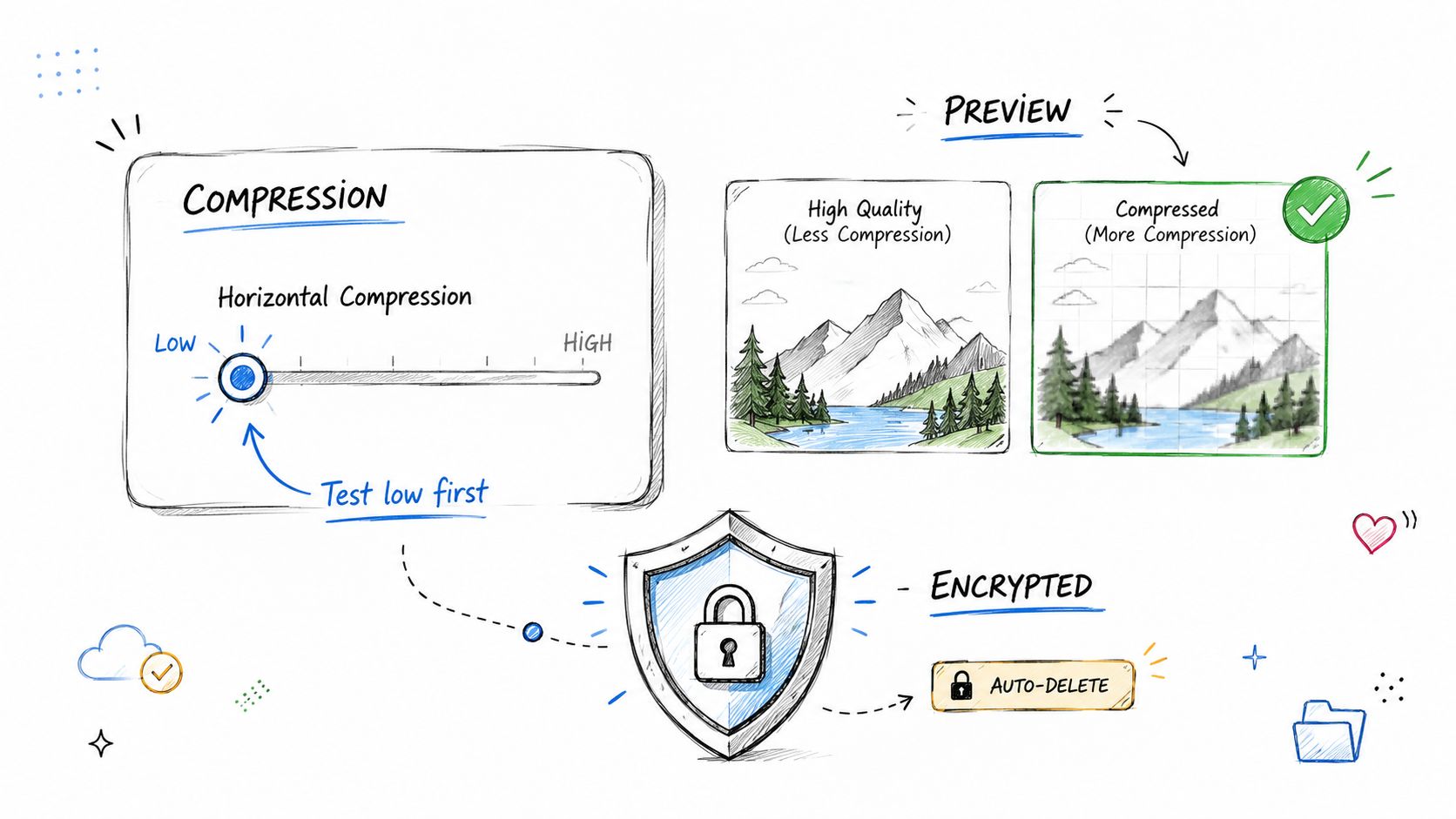
My Go-To Trick: Always start with the lowest compression setting. Download the result and give it a quick once-over. If it looks good but you need it even smaller, just go back and bump up the compression a notch. This little back-and-forth process saves you from accidentally squashing your document's quality on the first try.
Don't Forget Security and Privacy
File size is one thing, but the security of your documents is just as important—especially if you're handling contracts, financial reports, or anything with personal information. Let's be honest, not every online tool is built with your privacy in mind.
This is why we built PDF Birds with security at its core. When you use our tools, we make sure your data is locked down by:
- Using encrypted connections (HTTPS) for every single file you upload or download.
- Automatically deleting your files from our servers right after they're processed.
Your information is only there for the brief moment it's being compressed, and then it's gone. If you ever land on a site that doesn’t have a clear privacy policy or isn't using a secure connection (look for the lock icon in your browser), that's a huge red flag.
Think about it—law firms and hospitals use PDF compression all the time for documents where quality and confidentiality are non-negotiable. A lengthy legal contract might start as a bulky 15 MB file, but after smart compression, it can shrink to under 3 MB. That’s an 80% reduction in size while keeping every word perfectly legible.
As a final security step, it’s always a good idea to scrub any hidden data from your file before sharing it. Check out our guide on how to remove metadata from a PDF to make sure you’re only sharing what you mean to.
Frequently Asked Questions About PDF Compression
You've got questions, and we've got answers. When it comes to squashing down those PDF files, a few common concerns always pop up. Let's clear the air so you can compress your documents with total confidence.
Does Compressing a PDF Reduce Its Quality?
It can, but you're the one in the driver's seat. Modern tools like PDF Birds give you a few different compression levels to choose from. The "Recommended" setting is usually the perfect sweet spot, slashing file size with almost no quality loss you'd ever notice in a standard document.
Now, if you’re working with high-resolution photos or incredibly detailed graphics, you'll want to be a bit more careful. Just choose a lower compression setting to make sure quality is the top priority. My advice? Always give the final file a quick look before sending it off to make sure it looks just right.
Is It Safe to Compress PDFs Online?
Absolutely, provided you stick with a service you can trust. At PDF Birds, your security is something we take very seriously. We use encrypted connections (HTTPS) for all uploads and downloads, so your files are protected in transit. Plus, we automatically wipe all files from our servers after a short period.
As a rule of thumb, always look for the little lock icon in your browser's address bar and check for a clear privacy policy before uploading sensitive documents to any website. It's a simple check that goes a long way in protecting your information.
For a deeper dive into our security practices and other common queries, feel free to check out our comprehensive FAQ page.
Can I Compress a Password-Protected PDF?
Not directly. Most compression tools need to be able to "read" the file's contents to shrink them, and a password blocks that access.
The workflow is simple, though. First, use a tool like PDF Birds' "Unlock PDF" to remove the protection (you'll need the password, of course). Once it's unlocked, compress the file. Finally, just run it through the "Protect PDF" tool to add a new password. Your file ends up both small and secure.
What Is the Best Free PDF Compressor?
In my experience, the "best" tool is the one that's fast, secure, and doesn't make you jump through hoops like downloading software or creating an account. The PDF Birds online compressor was built from the ground up to tick all those boxes.
You get a top-tier experience that lets you shrink PDFs from any device with an internet connection. Just pick your compression level and you're done—all for free.
Conclusion: Take Control of Your Document Workflow
Mastering the art of PDF compression is more than just a technical skill—it's a productivity hack. It empowers you to share information seamlessly, meet deadlines without a hitch, and keep your digital files organized and lightweight. Whether you're a student, a creative professional, or managing business documents, having the right tool makes all the difference.
By understanding the balance between file size and quality, and by choosing a secure, user-friendly solution, you can eliminate the frustrations of dealing with oversized files for good.
Ready to shrink your files without the headache? With over 50 free tools, PDF Birds has everything you need to manage your documents. Compress your first PDF in seconds at https://pdfbirds.com and see just how easy it can be.